Long time no blog… Not just because of laziness, but also the popularity of agent makes it redundant to express the pure technology without the combination of self-experience. These days, however, I encountered an actual Linux intrusion incident and, by leveraging AI, was able to conduct a thorough analysis of it.
Background
I have a Beelink mini-pc running Arch Linux. Besides being my daily machine, this host also runs a few essential services, all containerized and running in Docker.
For the convenience of daily management, I have subscribed reverse-proxy service from cpolar and setup channel to expose ssh port to public network. The bandwidth is poor and unstable, which limits the frequency of using the tunnel, and that’s why I gradually forgot the channel even existed. Not to mention that I later migrated to WireGuard for my network connectivity.
Incident
On the afternoon of 10.3, I found myself unable to login to mini-pc via SSH. It was also at that moment that I felt the computer might have been compromised. I then tried to access a few services on the host, which were still working.
Migration
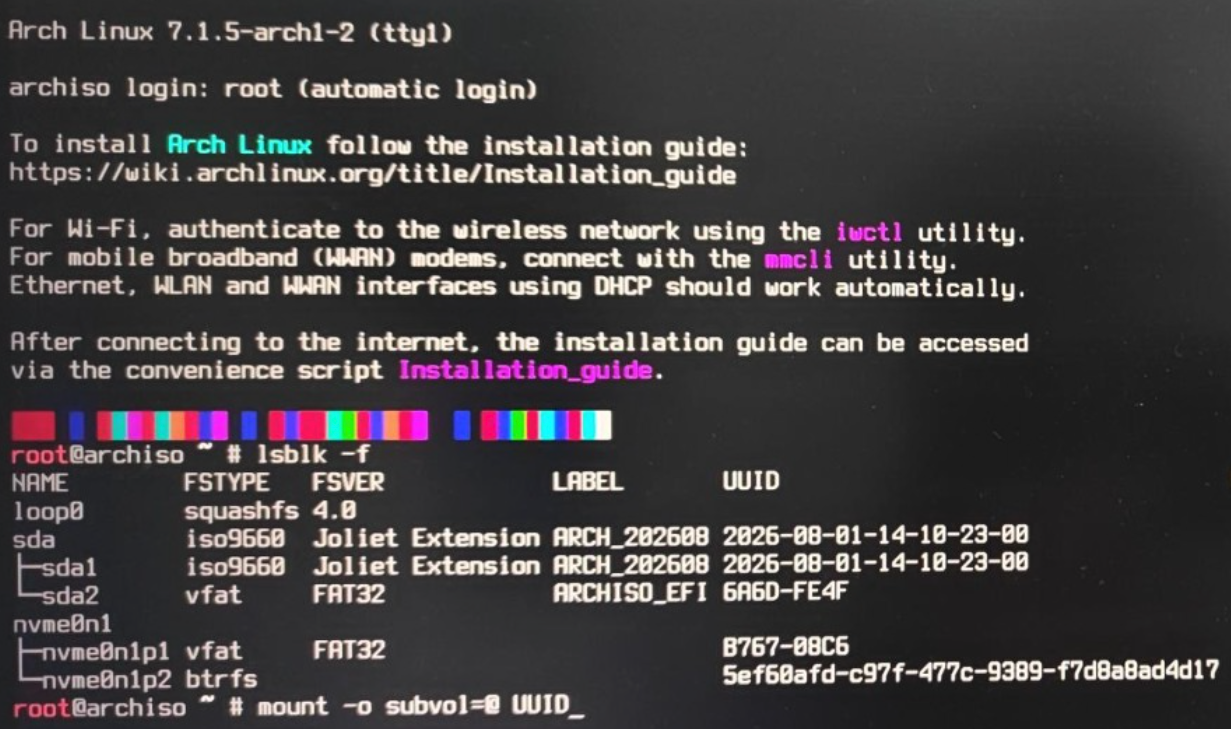
Since I was away from my house at that time, I was unable to take action for migration until 10.9. The first step, of course, is recovering my password. I used an Arch Linux installation USB drive to boot into the system and recovered password.
mount -o subvol=@ /dev/nvme0n1p2 /mnt
arch-chroot /mnt
passwd <target_user>
Now I can boot and login into the computer. At this point, I noticed that the CPU usage had reached over 70%, suggesting cryptomining. The corresponding proceess is /tmp/3943737178, whose parent process is a disguised interpreter, /usr/local/bin/python3.
ps -o pid,ppid,user,comm,args -p <process_pid>
sudo cat /proc/<process_pid>/cgroup
sudo cat /proc/<parent_process_pid>/cgroup
# Both point to 0::/system.slice/lvm2-monitor.service
The autostart contents are as follows:
# /etc/systemd/system/lvm2-monitor.service
[Unit]
Description=System Service for lvm2-monitor
After=network.target

[Service]
ExecStart=/usr/local/bin/python3
Nice=-20
Restart=always
RestartSec=3
KillMode=process

[Install]
WantedBy=multi-user.target
Meanwhile, the attacker has changed ssh setting to PubkeyAuthentication no and create a /etc/ssh/sshd_config.d/99-cloud-init.conf, preventing me from login with public key.
Let’s take actions for migration:
sudo systemctl freeze lvm2-monitor.service # stop the malicious processes
sudo systemctl disable lvm2-monitor.service
sudo rm -r /etc/systemd/system/lvm2-monitor.service
sudo mv /usr/local/bin/python3 ~/evil_example
sudo rm /etc/ssh/sshd_config.d/99-cloud-init.conf
Analysis
So…the biggest problem is, how the intrusion occurred?
First, I checked the timestamps of the malicious launcher and service files, and found that they were both dropped at 03:29:34 on October 2nd. Considering the distribution of services on the host, my primary suspect was the SSH port exposed by cpolar. Using this time as a clue, I then worked backwards to examine the login logs:
sudo journalctl -u sshd --since '2026-10-02 03:00:00' --until '2026-10-02 04:00:00' --no-pager | grep -E 'Accepted|session opened'
Oct 02 03:20:42 Ark sshd-session[303629]: Accepted password for root from 127.0.0.1 port 44928 ssh2
Oct 02 03:20:42 Ark sshd-session[303629]: pam_unix(sshd:session): session opened for user root(uid=0) by root(uid=0)
Then check the session number created by login behavior:
sudo journalctl -u systemd-logind --since '2026-10-02 03:00:00' --until '2026-10-02 04:00:00' --no-pager
Oct 02 03:20:42 Ark systemd-logind[787]: New session '34' of user 'root' with class 'user' and type 'tty'.
Oct 02 03:20:42 Ark systemd-logind[787]: New session '35' of user 'root' with class 'manager-early' and type 'unspecified'.
Oct 02 03:20:54 Ark systemd-logind[787]: Session 34 logged out. Waiting for processes to exit.
Oct 02 03:29:34 Ark systemd-logind[787]: Removed session 34.
Oct 02 03:29:45 Ark systemd-logind[787]: Removed session 35.
Check the operation performed inside the session:
sudo journalctl _SYSTEMD_SESSION=34 --since '2026-10-02 03:00:00' --until '2026-10-02 04:00:00' --no-pager
Oct 02 03:20:54 Ark sshd-session[303682]: Connection closed by 127.0.0.1 port 44928
Oct 02 03:20:54 Ark sshd-session[303629]: pam_unix(sshd:session): session closed for user root
Oct 02 03:20:56 Ark chpasswd[303894]: pam_unix(chpasswd:chauthtok): password changed for root
Oct 02 03:20:56 Ark chpasswd[303899]: pam_unix(chpasswd:chauthtok): password changed for ch4ser
Oct 02 03:20:56 Ark chpasswd[303905]: pam_unix(chpasswd:chauthtok): password changed for git
The ssh connection was from localhost, so that must be from cpolar service. Let’s digging the cpolar logs:
sudo docker logs --timestamps --since '2026-10-02T03:00:00+08:00' --until '2026-10-02T04:00:00+08:00' common-cpolar-1 2>&1 | grep -E '127\.0\.0\.1:22'
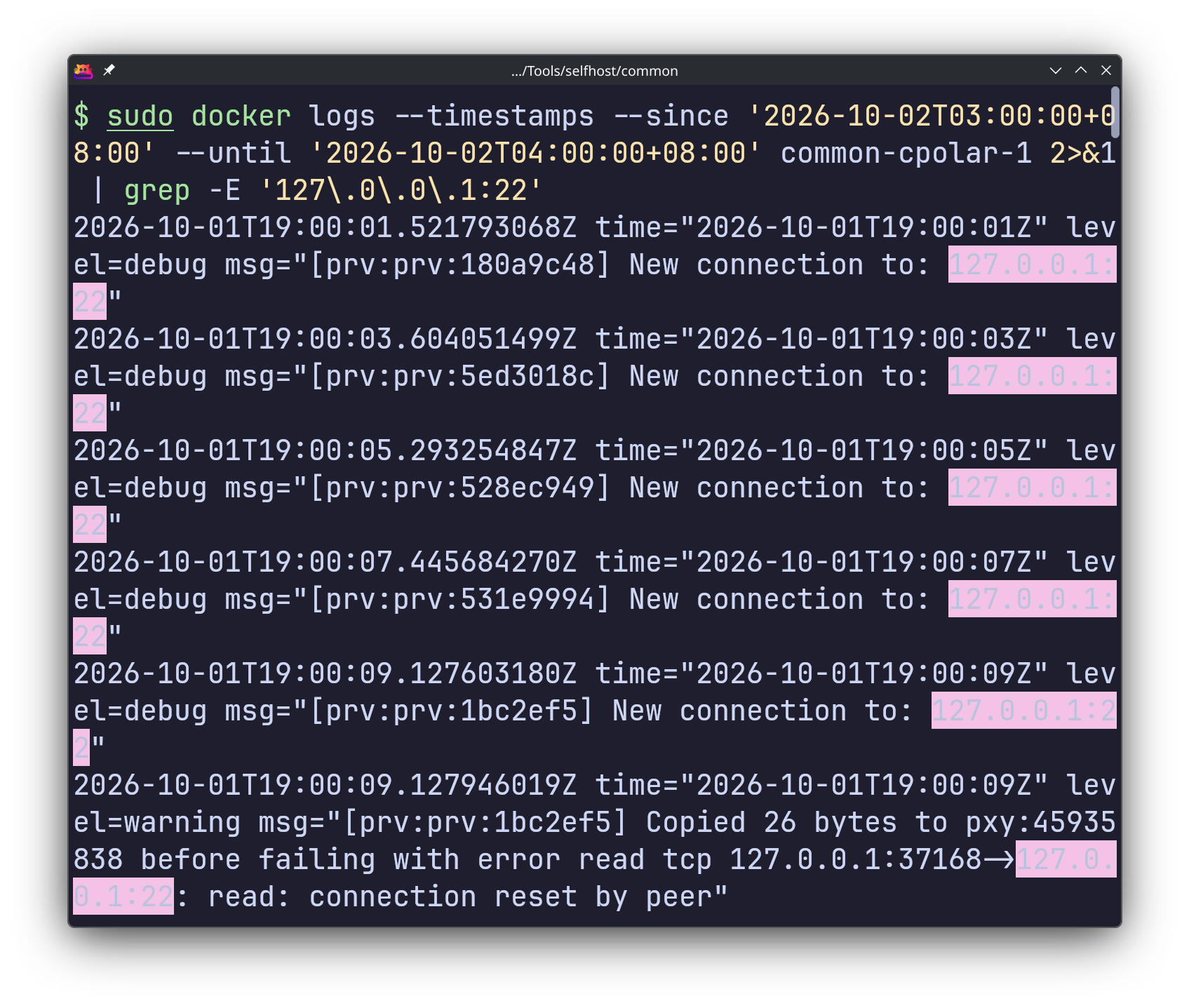
Eventually I found the root of the problem. So I deleted the cpolar entry point and decided never to use this service provider again.
By the way… According to Codex’s analysis, the attacker deployed a mining payload based on the open-source XMRig, and used an obfuscated Go launcher and a disguised systemd service to achieve execution and persistence.